A second memory, just for you

Your life is more
than you remember.

Keep the little things. Come back to them.

Mento brings a journal and an AI companion together. Write or speak about your day, then ask about the moments you want to find again.

Available on iPhone · Start with the free plan

Mento Companion answering a question about a seaside trip, with a link to the source memory
A question today. A moment from your past.

From a passing thought to a memory you can revisit

Live it. Keep it.
Come back to it.

01 Keep a moment

A few words are enough.

The conversation you want to keep. A small win. A day that felt different. Type it, dictate it, or start with a daily prompt. Your voice becomes readable text you can return to.

A journal that fits the way your day actually happens.

A Mento journal entry with its text, AI summary and mood
An entry and its AI summary, together on one page.

02 Find it again

You remember the feeling. Mento helps find the moment.

Ask “When was my last trip to the sea?” or “How have I been feeling about work?” The companion searches by meaning and can link you back to the entries behind its answer.

You don’t need the exact word. Or the exact date.

Companion conversation about a seaside trip and feelings about work, with source memory links
Follow the memory links to reread your own words.

03 See the bigger picture

A week can blur. Your journal doesn’t have to.

Come back to your entries, or read a weekly or monthly reflection. Mento brings your writing together so you can notice recurring themes and changes that were easy to miss day by day.

Room to reflect, without turning your life into a dashboard.

Mento Journal showing daily prompts, a weekly reflection and past entries
Your entries, prompts and reflections in one journal.

AI features require an account and your permission. Usage limits depend on your plan.

How it works

A small habit.
A way back.

  1. Leave yourself a note.

    Write a little, talk it out, or answer a prompt. Keep the details while they’re still fresh.

  2. Ask when you’re curious.

    A place, a person, a feeling. Ask the companion in your own words, without hunting through dates.

  3. Return to your words.

    Open the source entries linked in an answer. Reread the moment and decide what it means to you.

A little help along the way

More ways to keep
the ordinary days.

Make room for the moment

Write it your way

Use headings, lists, bold and italic to give a thought some shape. A short note and a longer story both belong here.

Bring your notebook along

Scan a handwritten page and turn it into text for your journal. Scanning requires an account, AI permission and an available scan allowance.

Keep the picture, too

Attach photos and videos to an entry. With Premium, you can also enable AI descriptions of photos and a video’s first frame to help Companion find them. This separate setting is off by default.

Write, even without a connection

New entries save on your device first. With an account, they sync to your cloud journal when you’re back online.

Get to know your Companion

A conversation worth keeping

Tell Companion about a moment and ask it to save a journal entry from your conversation. You can return to the entry later, just like one you wrote yourself.

Stay with one entry

With Premium, open a conversation about a particular entry. Explore the thought or ask for a rewrite; suggested changes only replace your writing when you choose to apply them.

Start with a little of your story

A guided interview gives Companion some background about you. Skip any question you like; your answers become part of its long-term memory. Premium lets you retake the interview.

See what Mento has learned

Companion builds a long-term summary from your journal and conversations. Open Mento’s Memory in Profile to read that summary as it develops.

An invitation to talk

Companion can offer a daily conversation starter based on what you’ve shared. You’ll find it when you open Companion, and you can turn these starters off in Profile.

Come back to your days

A starting point, every day

Daily prompts give you something to write about when the page feels a little too blank.

Time to look back

Weekly and monthly AI reflections bring your entries together, helping you notice what has been on your mind.

Your rhythm, at a glance

Insights shows your activity calendar, writing statistics, and daily and weekly streaks. See when you’ve made time to write.

On this day, another year

Revisit entries written on the same date in previous years. An ordinary day can become a small window into how life has changed.

The details around the day

Turn on optional place and weather capture to keep a little more of the context around each new entry.

A lock on your journal

Enable the app lock to use Face ID or your device passcode before opening Mento. A privacy cover also blurs your journal in the app switcher when you leave the app.

AI features need an account, your permission and available usage allowance. You can manage AI processing in Profile → Data & Privacy. More about plans and privacy →

Your year, in a book

A year lived.
A story to keep.

The people you grew closer to. The thing you finally tried. The small routines that became part of your life.

Mento brings your journal together into a personal, illustrated PDF book — a story of your year, drawn from the moments you chose to save.

  • A story, month by month. Chapters follow the months you wrote about, with room for the moments that mattered.
  • The bigger picture. Look back at your milestones, relationships and personal discoveries across the year.
  • Your words and photographs. Selected excerpts and photos from your entries sit alongside the story.

Choose a completed year. Available with Premium and your AI permission; edition limits apply. There’s no minimum writing streak.

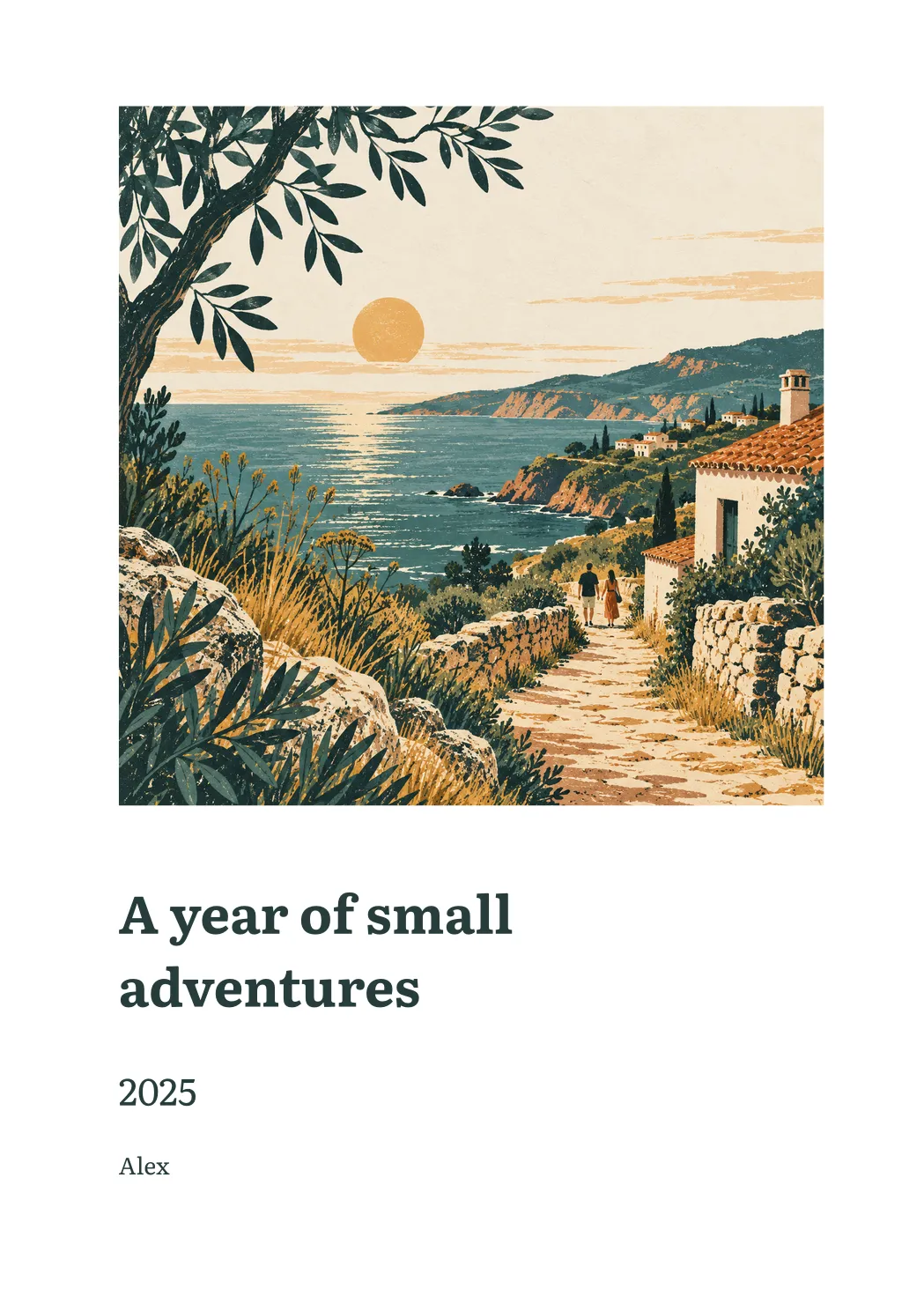
Sample Mento book cover: a coastal illustration above the title A year of small adventures, 2025, AlexA5 pages · A PDF to keep
A sample first page, made with Mento’s book layout.
Fictional title and name; your book tells your own story.

Personal words. Clear choices.

Know where
your journal goes.

Read the Privacy Policy

Start on your device. Write without an account and your journal stays on your phone. It isn’t uploaded or backed up.

Cloud storage when you sign in. Account journals and chat history are stored in our Supabase project. Mento uses encryption in transit; it is not end-to-end encrypted.

AI with your permission. OpenAI processes the content needed for features such as chat, search, transcription and reflections. API data is not used to train its models. Annual books and year reviews can also use Anthropic after you accept the disclosure naming that provider. You can withdraw AI permission in Profile → Data & Privacy.

You stay in control. Manage your data or delete your account in the app. You can also contact support to exercise your data rights.

Why I built Mento

A year of living shouldn’t
disappear into “not much.”

I kept forgetting the little things I wanted to keep. Journaling helped me capture them, but finding them again meant remembering the right date or the right word.

I built Mento for that moment: when you know something mattered, but need a way back to it.

Read the story

Before you begin

A few things
you might ask.

Talk to us
Where can I get Mento?

Mento is available for iPhone on the App Store. There is currently no Android or web app.

Can I start for free?

Yes. You can start with the free plan, including journaling and limited AI usage. Premium adds conversations about individual entries, optional AI media descriptions, interview retakes and higher usage limits. AI features still have usage allowances. You’ll find current prices and subscription terms in the app before you purchase.

Can I turn my journal into a book?

Yes. With Premium, open Your year in Mento and choose a completed year to create an illustrated PDF book from your journal. It brings together monthly chapters, meaningful moments, people and personal discoveries, with selected quotes and photos. You can save or share the PDF. An account, AI permission and an available edition are required. You do not need to write every day; the book covers the entries you have. Generation happens in the background and can take time. The sample on this page uses a fictional title and name.

Can I speak instead of typing?

Yes. Dictate an entry or a message to the companion. Your audio is sent for transcription, then cleaned up into readable text. This requires an account, AI permission and an available transcription allowance.

Can I scan handwritten notes?

Yes. Scan a handwritten page to turn it into journal text. This requires an account, AI permission and an available scan allowance. Check the result before saving: handwriting recognition can make mistakes.

Are my photos and videos analysed by AI?

AI media descriptions are optional, available with Premium and off by default. They require both AI permission and a separate media-analysis setting. When enabled, Mento can process photos and a video’s first frame to create descriptions for Companion search. Attaching a photo or video does not by itself enable this processing.

How does the companion find a memory?

Ask in your own words. The companion can search your journal and past conversations by meaning, then link relevant entries in its answer. AI can make mistakes: open the sources to check an answer against your own writing.

What happens to my journal when I use AI?

With your permission, content needed for AI features is processed by OpenAI through its API. That data is not used to train OpenAI’s models. Annual books and year reviews can also use Anthropic after you accept the disclosure naming that provider. You can turn AI processing off in Profile → Data & Privacy. Account data is stored in the cloud; Mento is not end-to-end encrypted. See the Privacy Policy for details.

Do I need an account to keep a journal?

No. Without an account, entries stay on your device and are not uploaded or backed up. Cloud sync and AI features require an account. Anonymous usage counts are collected as described in the Privacy Policy.

Can I delete my data?

You can manage your data and delete your account from within the app. You can also contact [email protected] for access, a copy of your data or a deletion request. The Privacy Policy explains retention and any legal exceptions.

More about privacy and your data →

Begin with today

Give your next memory
a place to stay.

Start with a few words. Mento is available now on iPhone.

Download on theApp Store

Questions? [email protected]